
The Gallabox beta program gives you early access to new features in the Gallabox mobile app before they reach everyone. Beta builds are available on Android through the Google Play Store and on iOS through Apple’s TestFlight public beta. Your feedback helps us improve the app before each release.
About the beta program
Beta builds may include features that are still being finished, so you may notice occasional bugs or changes between updates. You use the same Gallabox account in the beta app as in the regular app.Join the beta on Android
1
Open Gallabox in the Play Store
Open the Gallabox app page in the Google Play Store on your Android device.
2
Find the beta section
Scroll down to the Join the beta section, right below App support.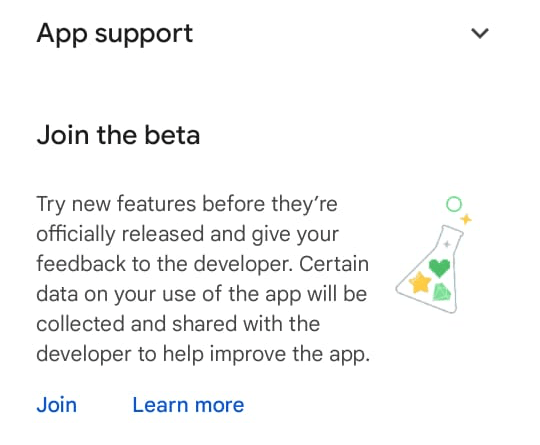
3
Join the beta
Tap Join and confirm. It can take a few minutes for your account to be added to the beta.
4
Install or update the app
Install Gallabox, or update it if it is already installed. The Play Store now gives you the beta version.
Join the beta on iOS
Apple allows beta versions of iOS apps to be installed only through TestFlight, Apple’s app for testing apps before release. You need TestFlight to install and use the Gallabox beta app.
1
Install TestFlight
Install the TestFlight app from the App Store on your iPhone.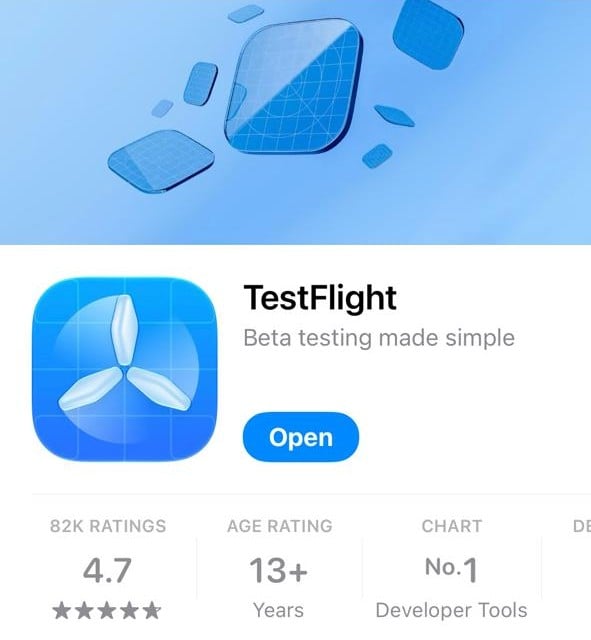
2
Open the Gallabox beta link
On your iPhone, open the Gallabox public beta link: https://testflight.apple.com/join/PdBKCIAj
3
Accept and install
Tap Accept, then tap Install in TestFlight to download the Gallabox beta app.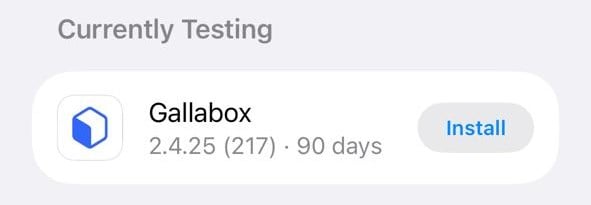
4
Start using the beta app
Once the install finishes, you can start using the beta app. Tap Open in TestFlight, or open Gallabox from your Home Screen, and log in with your Gallabox account.
FAQs
Can I use the regular Gallabox app and the beta app at the same time?
Can I use the regular Gallabox app and the beta app at the same time?
No. The beta app replaces the regular Gallabox app on your device, so you can’t have both installed at once. You log in with the same Gallabox account, so you see the same conversations and data in the beta app.
Which updates do I get while I'm in the beta?
Which updates do I get while I'm in the beta?
On Android, you get only beta updates through the Play Store, not the regular production updates. On iOS, new beta builds appear in the TestFlight app.
How do I switch back to the regular app on Android?
How do I switch back to the regular app on Android?
Once you’ve tried the new features, you can switch back to the regular app. Open the Gallabox page in the Play Store and tap Leave in the beta program section. You then get regular production updates again.
How do I switch back to the regular app on iOS?
How do I switch back to the regular app on iOS?
Install Gallabox from the App Store.