
Who can use this?
- Owners and Admins, and roles that can update AI agents.
- Available on plans that support Chat AI Agents.
Plan Availability
Available on all plans that support Chat AI Agents. See Chat AI Agent.Before you start
- You can update AI Agents & Bots.
- You know what each v1 flow does today, so you can check the copy after.
- You have time to test and publish each migrated agent. Migrated flows land in Draft. They do not go live until you publish them.
What carries over
These stay on the migrated flow:- Role, Goal, and Instructions
- Custom actions on that flow
- Supported Knowledge Base files, moved into a new library named
{flow name} - Migrated Knowledge Base
- Settings (model, temperature, drop-off) and Analyze → Post-session settings
- Files that did not migrate (unsupported types are skipped)
- Channel assignment, then a real test before you publish
Steps
1
Open the migration prompt
- Go to AI Agents & Bots.
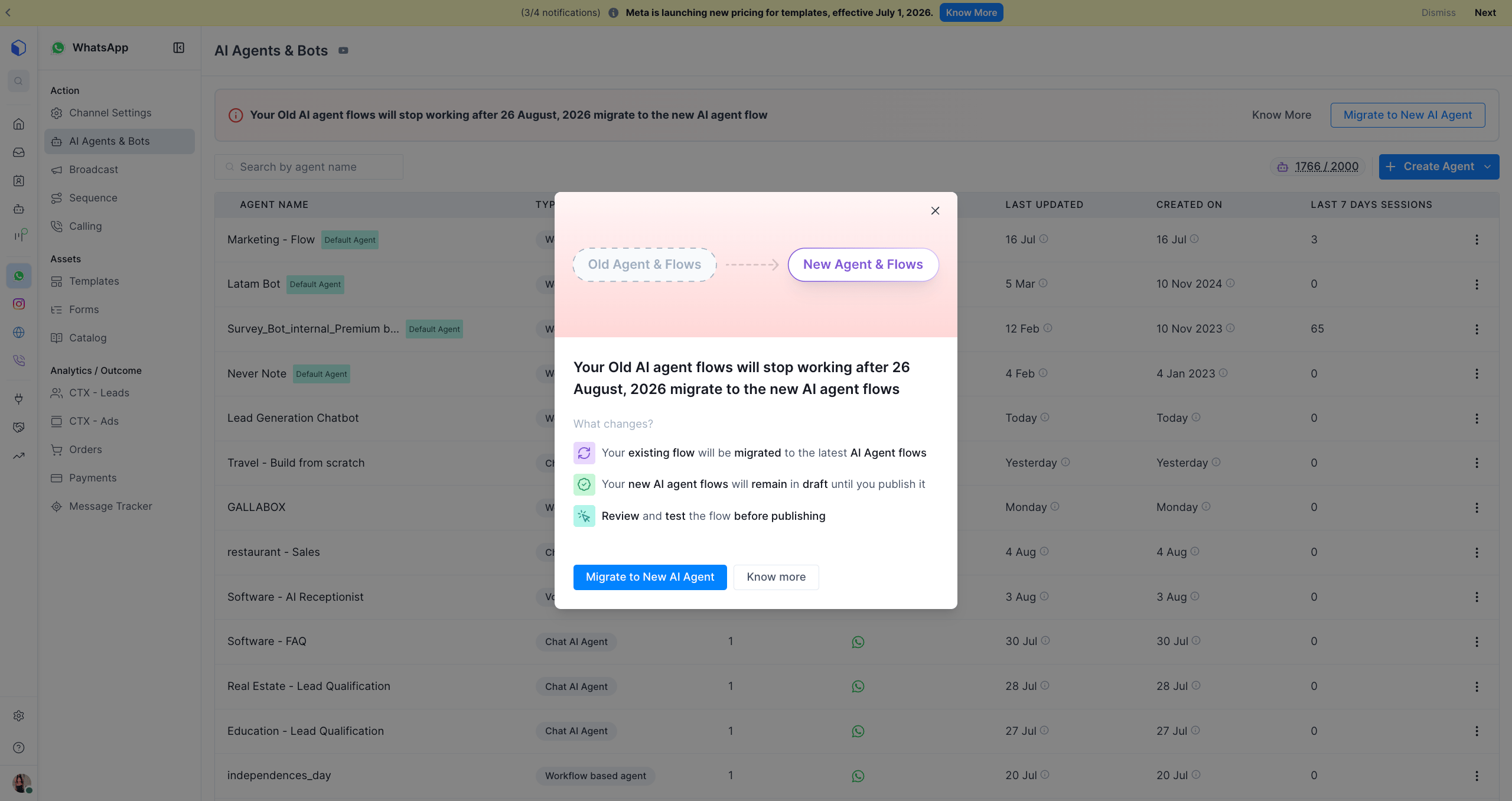
- At the top of the list you will see: “Your Old AI agent flows will stop working after 26 August 2026. Migrate to the new AI agent flow.”
- Click Migrate to New AI Agent.
2
Review what changes
- A dialog shows Old Agent & Flows → New Agent & Flows.
- Read What changes?:
- Existing flows migrate to the latest AI Agent flows.
- New flows stay in Draft until you publish them.
- Review and test before you publish.
- Click Migrate to New AI Agent, or Know more to read this guide.
3
Confirm the migration
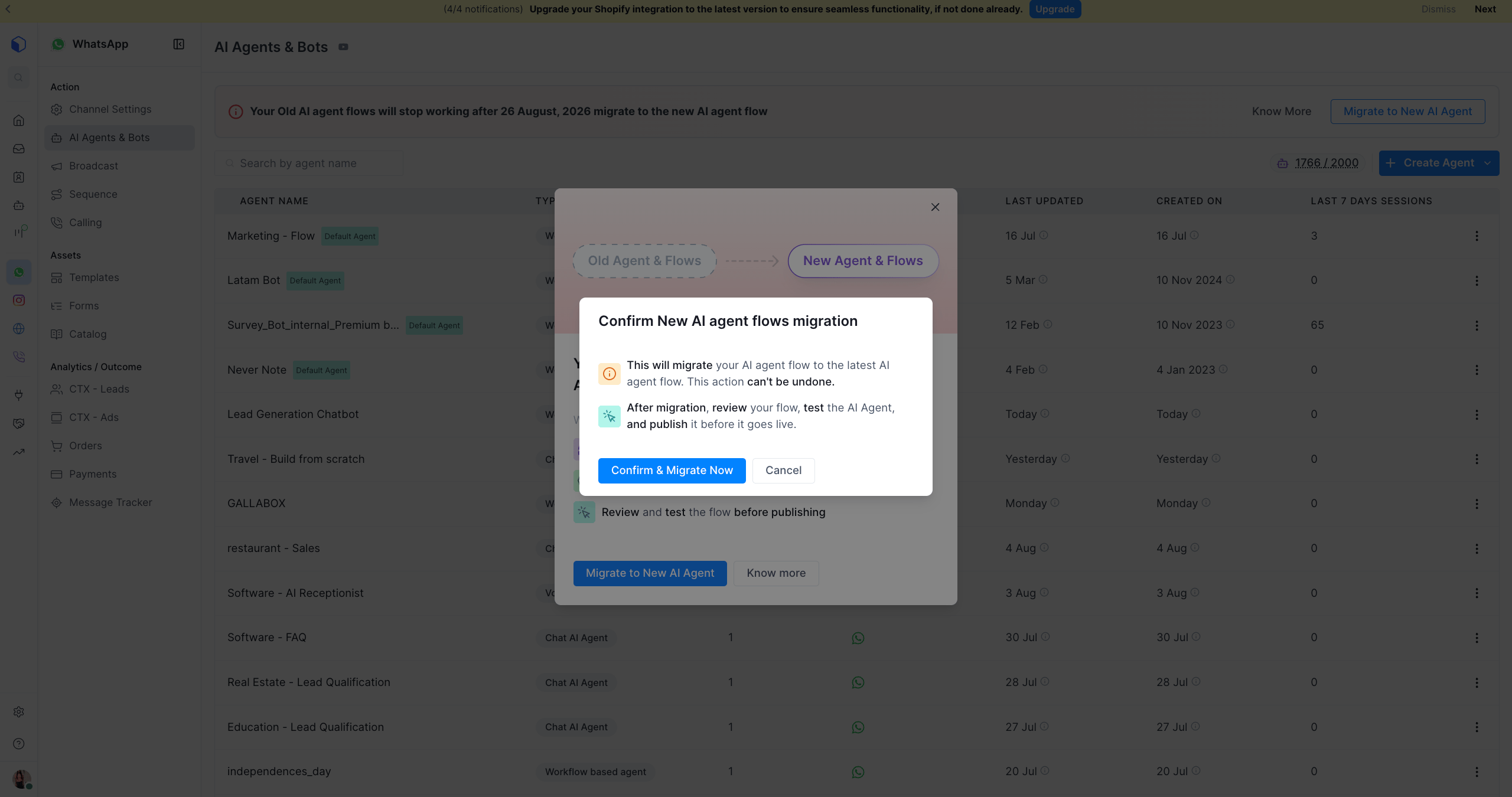
- A dialog opens: Confirm New AI agent flows migration.
- This cannot be undone once confirmed.
- Click Confirm & Migrate Now.
4
Wait for migration to complete
- You will see Migration queued: “All V1 AI flows on this account are being migrated to V2.”
- It runs in the background. You can keep using Gallabox.
- Refresh AI Agents & Bots after a few minutes.
5
Review, test, and publish each flow
- Open each migrated agent. It is in Draft.
- Check Role, Goal, and Instructions.
- Confirm the migrated Knowledge Base is attached on the Knowledge tab.
- Test. WhatsApp and Instagram: Test Widget. Web Chat: Web Widget preview.
- Publish when you are satisfied.
Publishing is manual, per agent. Your v1 flow keeps running until you publish its v2 replacement. v1 still stops on August 26, 2026, even if you never published v2. Do not leave this until the last day.